SDF Modelling Engine
My award-winning final-year dissertation. It is a C++ engine and editor for modelling 3D shapes with Signed Distance Fields (SDFs). The scene tree is compiled into flat GPU buffers and ray-marched in a single draw call, with soft shadows, ambient occlusion and triplanar texturing.
- Duration
- 4 months
- Platform
- PC
- Awards
- 1st Place - University GradEx
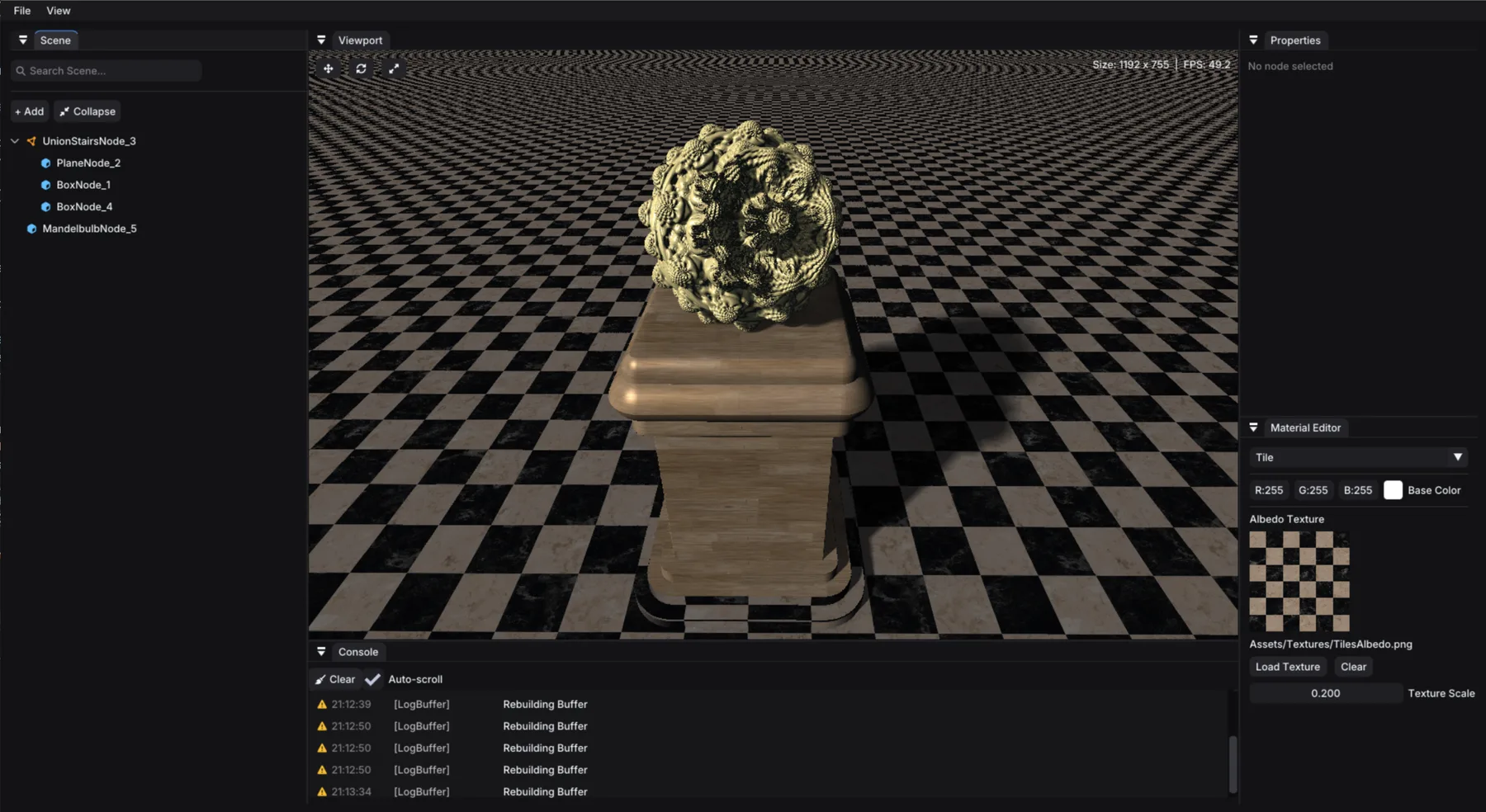
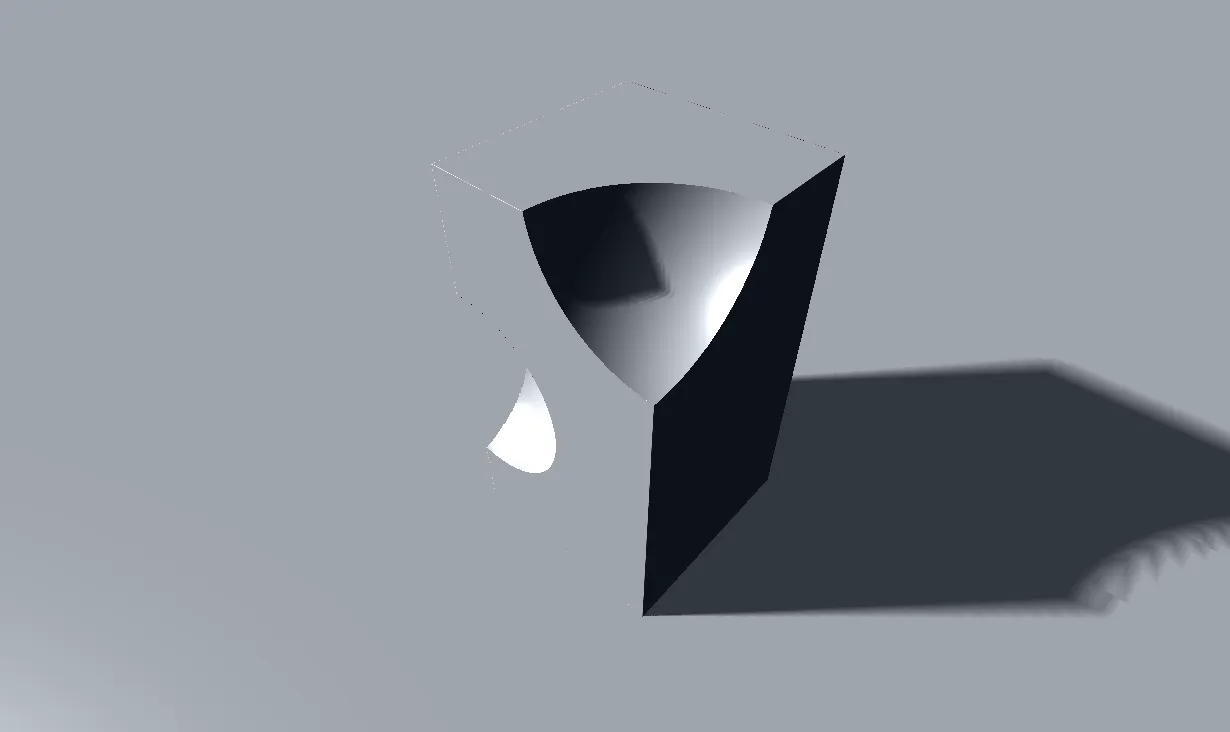
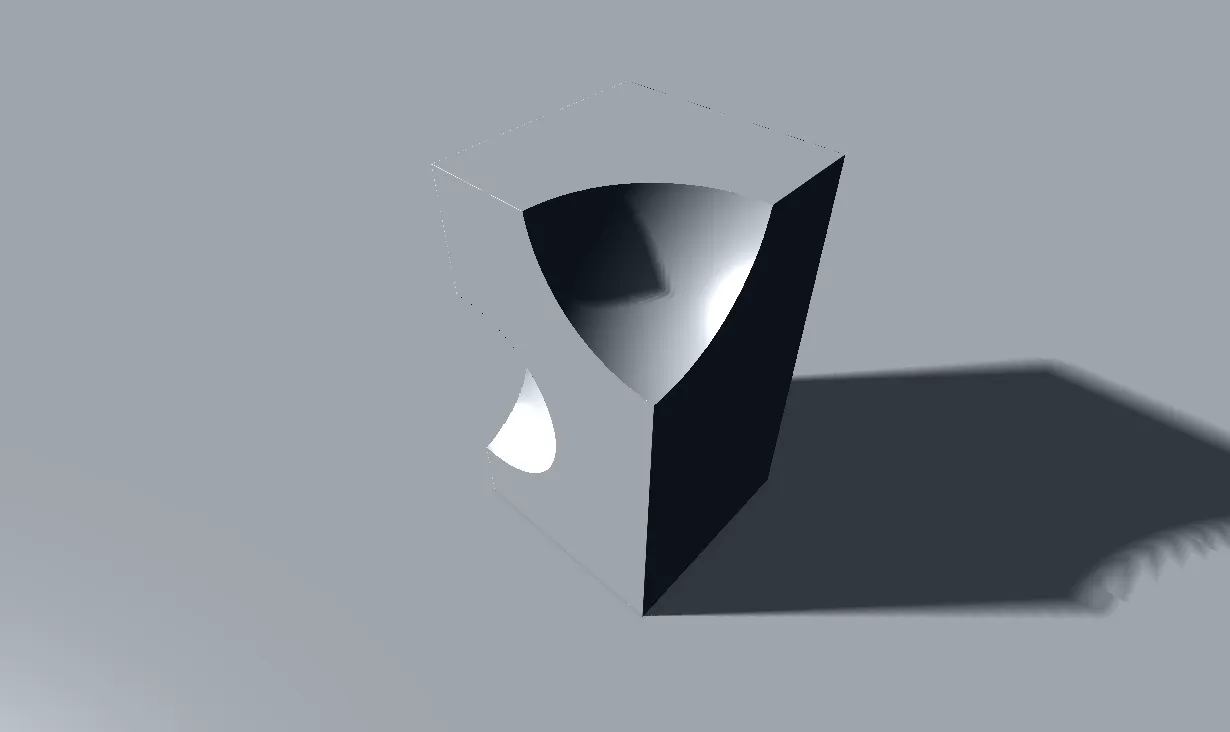
The SDF Modelling Engine is my final-year dissertation project, A CPU-GPU Pipeline for Real-Time Signed Distance Field Rendering. It’s a C++ and DirectX 11 engine with an ImGui editor for building 3D models from Signed Distance Fields (SDF). SDFs are mathematical functions that give the distance from any point to a surface of the SDF shape. Instead of being made of triangles, a model is a tree of shapes and operations, which is then raymarched on the GPU every frame.
The project has two halves. The CPU side owns an editable scene tree where the user can add shapes and operations and set properties on them. The GPU side only sees a flat set of buffers built from that tree.
- 8 primitive shapes, including a fractal
- 8 operators, including booleans, smooth booleans, and more
- 1 full-screen draw call to render the whole scene
- 0 shader changes required when editing the scene
The pipeline
Every frame goes through four stages:
- Edit (CPU): the user uses the editor to modify nodes in the scene tree, which hold types, transforms, parameters and materials.
- Compile (CPU): the scene tree is iterated to create multiple flattened GPU-friendly arrays containing the neccessary data for rendering.
- Upload: the arrays are copied into structured buffers that the shader can access.
- Evaluate (GPU): a pixel shader ray-marches the scene and runs the flattened tree at every step along each ray.

Compiling the tree
The compiler walks the tree twice. The first pass goes top-down and works out each node’s world transform from its parent. The second pass goes post-order, so every child is written out before its parent, and builds a flat array of nodes:
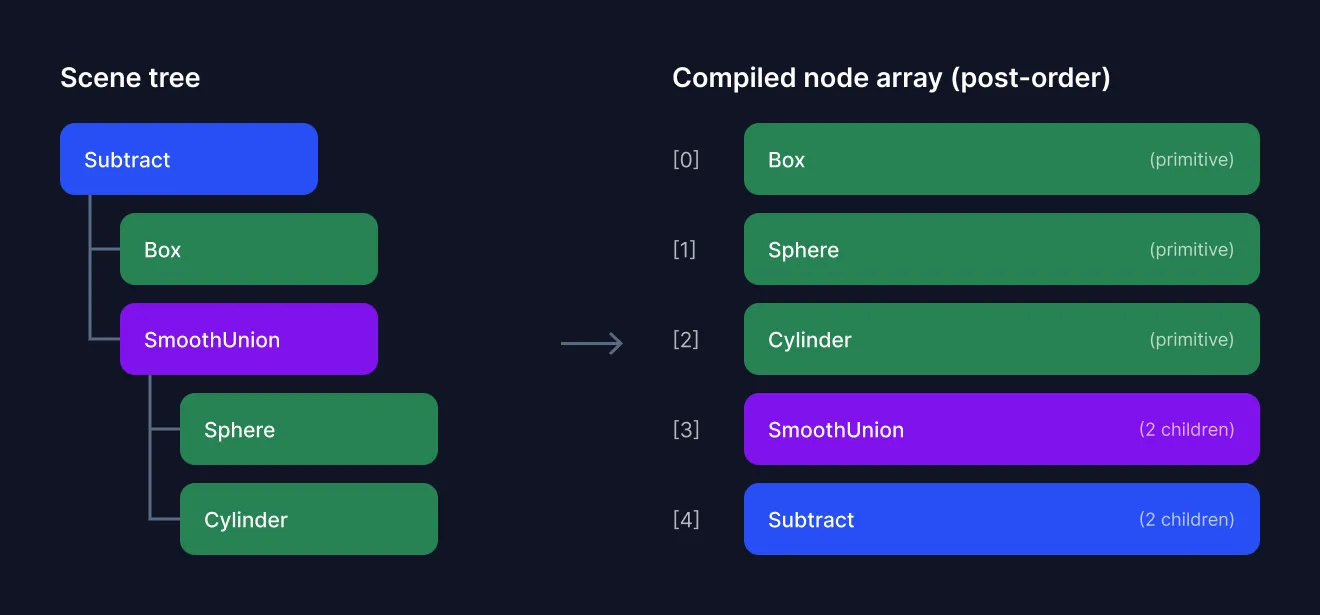
Each compiled node is 24 bytes: a GPU type code, a child count, and indices into the shared parameter, transform and material buffers. Each node’s inverse world transform is worked out on the CPU to avoid having to do it on the GPU for every ray. Materials used by several nodes are only written once, and operators with no children are skipped completely.
CompiledSdfNode compiled{};
compiled.gpuCode = static_cast<uint32_t>(typeDesc->gpuCode);
compiled.childCount = validChildCount;
compiled.materialId = materialIndex; // the index inside the material buffer sent to the GPU

// calculate the inverse world transform
compiled.transformId = static_cast<uint32_t>(out.transforms.size());
out.transforms.push_back(ToCompiledAffine(glm::affineInverse(node->worldTransform)));

// parameters are packed back to back into a single byte buffer
compiled.parameterOffset = static_cast<uint32_t>(out.parameters.size());
out.parameters.insert(out.parameters.end(), node->parameters.begin(), node->parameters.end());
Different node types need different parameters (a sphere has a radius, a box has three half-extents, a Mandelbulb has an iteration count and power). So all parameters are packed into a single ByteAddressBuffer and read at each node’s byte offset, rather than padding every node out to the largest one.
To avoid creating a new buffer every single time the compiled data needs slightly more space, GPU buffers double in size when they need re-allocating. If no extra space is needed, the GPU buffer from the last frame is used instead.
Evaluating on the GPU
Because the array is in post-order, the shader can evaluate the whole tree in one loop with a small stack. A primitive pushes its distance. An operator pops its children’s results, combines them, and pushes the result back onto the stack. The final value on the stack is the distance to the whole scene. This final distance can then be used as the next step distance for the ray.
SdfResult EvaluateSdf(float3 pos)
{
    SdfResult stack[32];
    uint stackPtr = 0;

    [loop]
    for (uint i = 0; i < gScene.nodeCount; i++)
    {
        SdfNode node = gNodes[i];

        if (node.childCount == 0) // no children means primitive so push its distance
        {
            stack[stackPtr++] = EvaluatePrimitive(node, pos);
        }
        else // otherwise its an operator so pop the children, combine, push the result
        {
            SdfResult result = stack[--stackPtr];
            for (uint c = 1; c < node.childCount; c++)
                result = ApplyOperator(node, result, stack[--stackPtr]); // union, subtract, smooth...
            stack[stackPtr++] = result;
        }
    }
    return stack[0];
}
This avoids recursion, which HLSL doesn’t support, as well as jumping around the list of nodes. The GPU just reads the node array from start to end. Each result also carries a material ID so when shapes are combined the surface knows which material is meant to be there.
Ray marching and shading
To render the scene, the pixel shader casts a ray for each pixel and uses sphere tracing. The scene’s distance value at a point says how far the ray can safely step without passing through anything. The ray hits something when its gets within a small enough distance to any surface. This hit tolerance grows with distance from the camera, so far-away surfaces don’t waste steps.
Once a ray hits something, the shader:
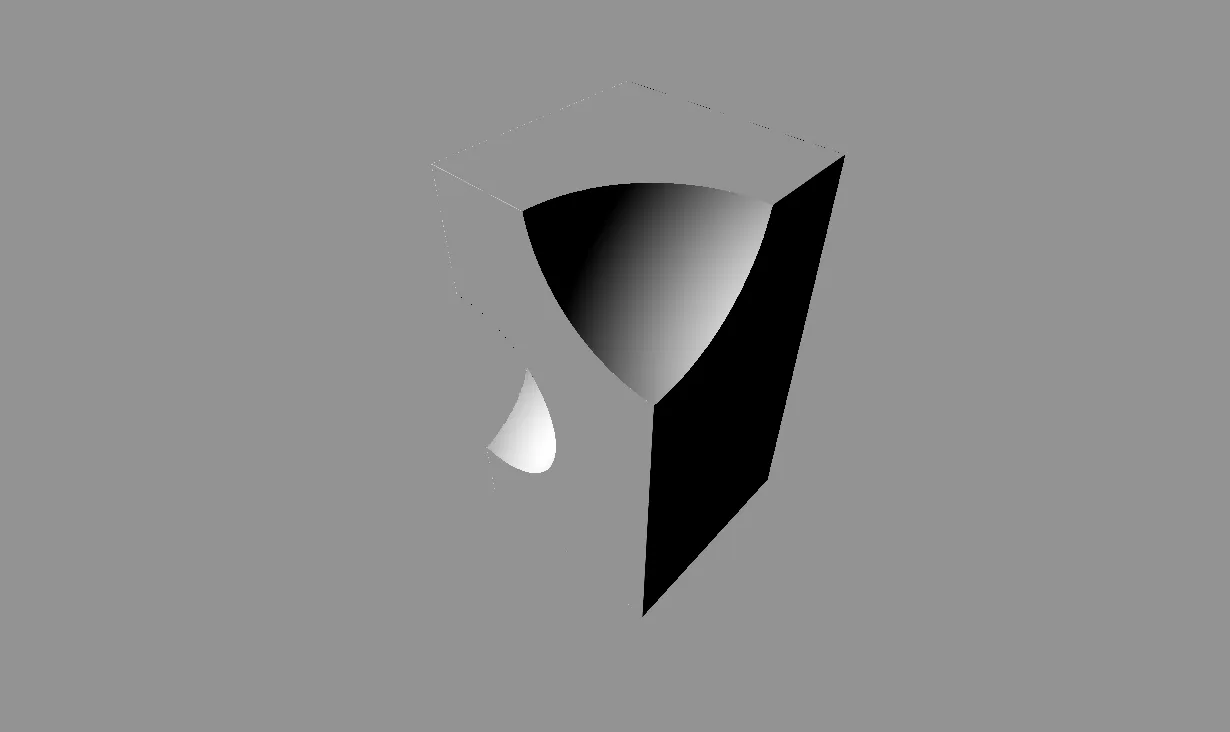
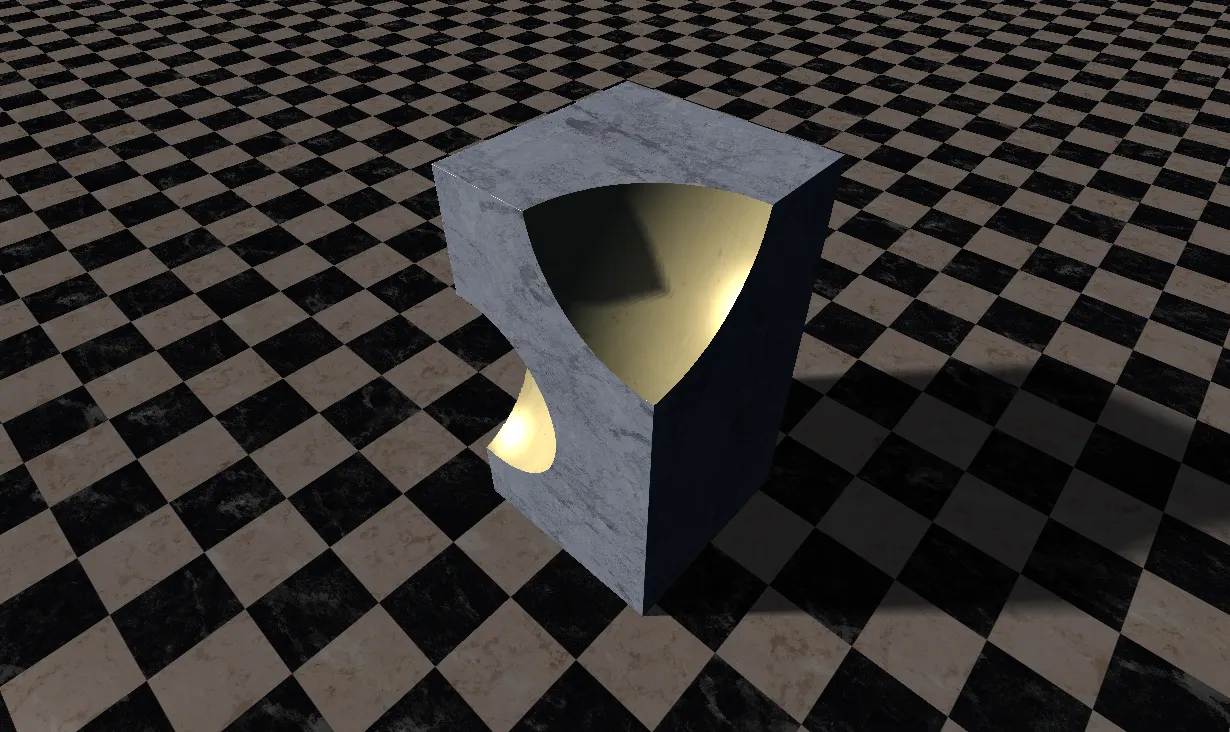
- estimates the surface normal from the gradient of the distance field, using the central difference method
- starts a second raymarch towards the scene light for soft shadows, using the closest miss distance along the way to soften the edge
- takes a few short samples along the normal for ambient occlusion
- applies triplanar texturing, because SDFs have no UVs. The texture is projected along all three axes and blended by the normal. All the required textures are passed to the shader in a packed texture atlas
Rays that do not hit anything return the skybox texture instead, using the rays direction as a lookup into the cubemap.
The type registry
Every shape and operator is described once in a type registry. A type declares its name, whether it’s a primitive or an operator, its parameters and their defaults, how many children it allows, and which GPU code it maps to:
registry.RegisterType({
    .name = "SmoothUnion",
    .category = SdfTypeCategory::Operator,
    .parameters = {
        Param::Float("Radius", 0.3f),
    },
    .gpuCode = SdfGpuCode::SmoothUnion,
    .minChildren = 2,
    .maxChildren = UnlimitedChildren,
    .computeBounds = ComputeSmoothUnionBounds
});
The rest of the engine relies on description in the type registry. The registry lays out each type’s parameter block and fills in the default values. The properties panel builds its controls from the parameter list, showing a drag-float for a Float and a 3-component control for a Float3. The scene serialiser saves nodes and parameters by name rather than by ID, so saved scenes still load if the registry changes order. Adding a new shape takes a registration header, a GPU code, and one case in the shader.
Features
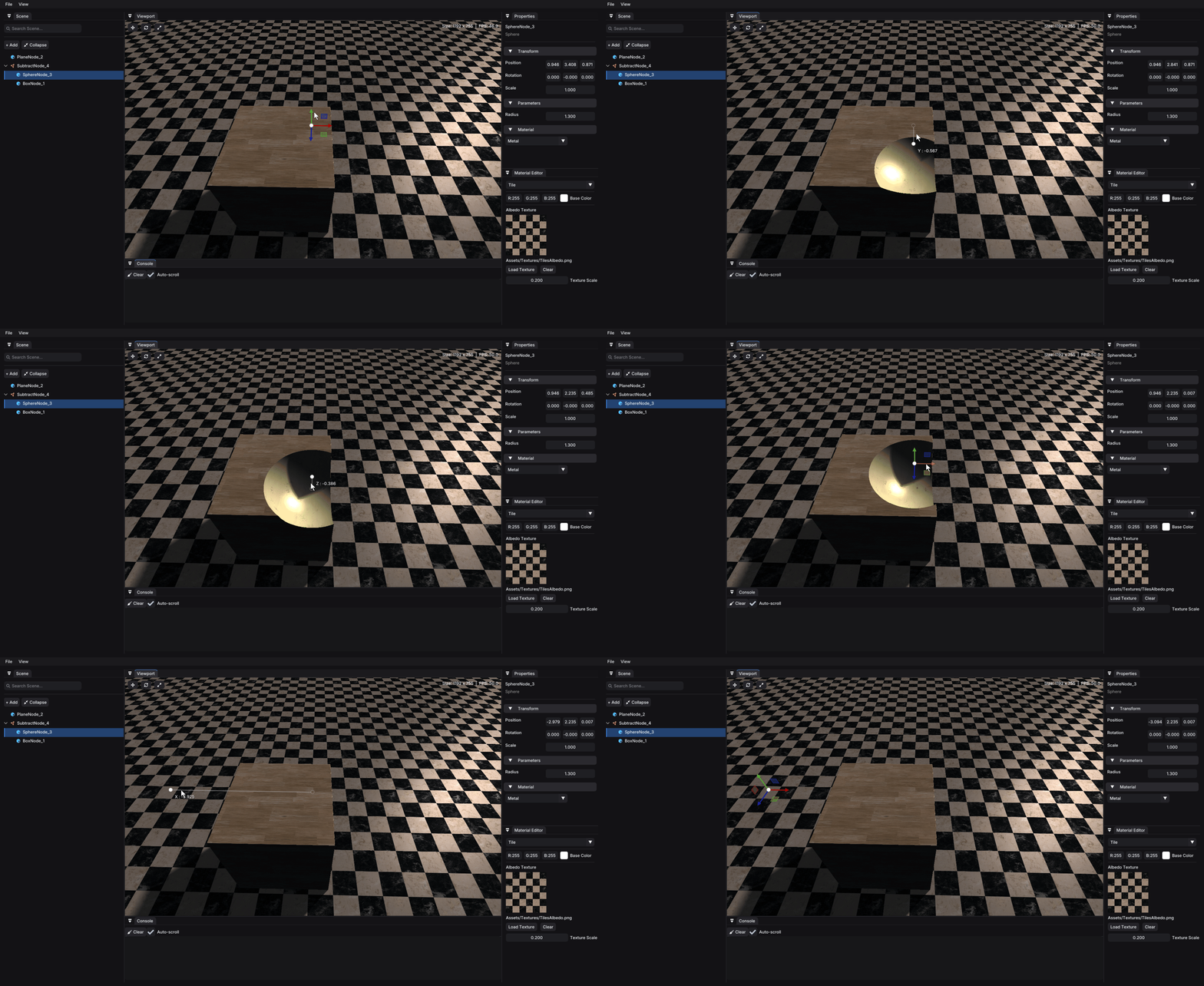
Boolean operations
Union, Subtract and Intersect nodes, plus smooth versions with an adjustable blend radius k. Because the tree is re-evaluated every frame, you can move a shape inside a subtract node and watch the cut follow it in real time.
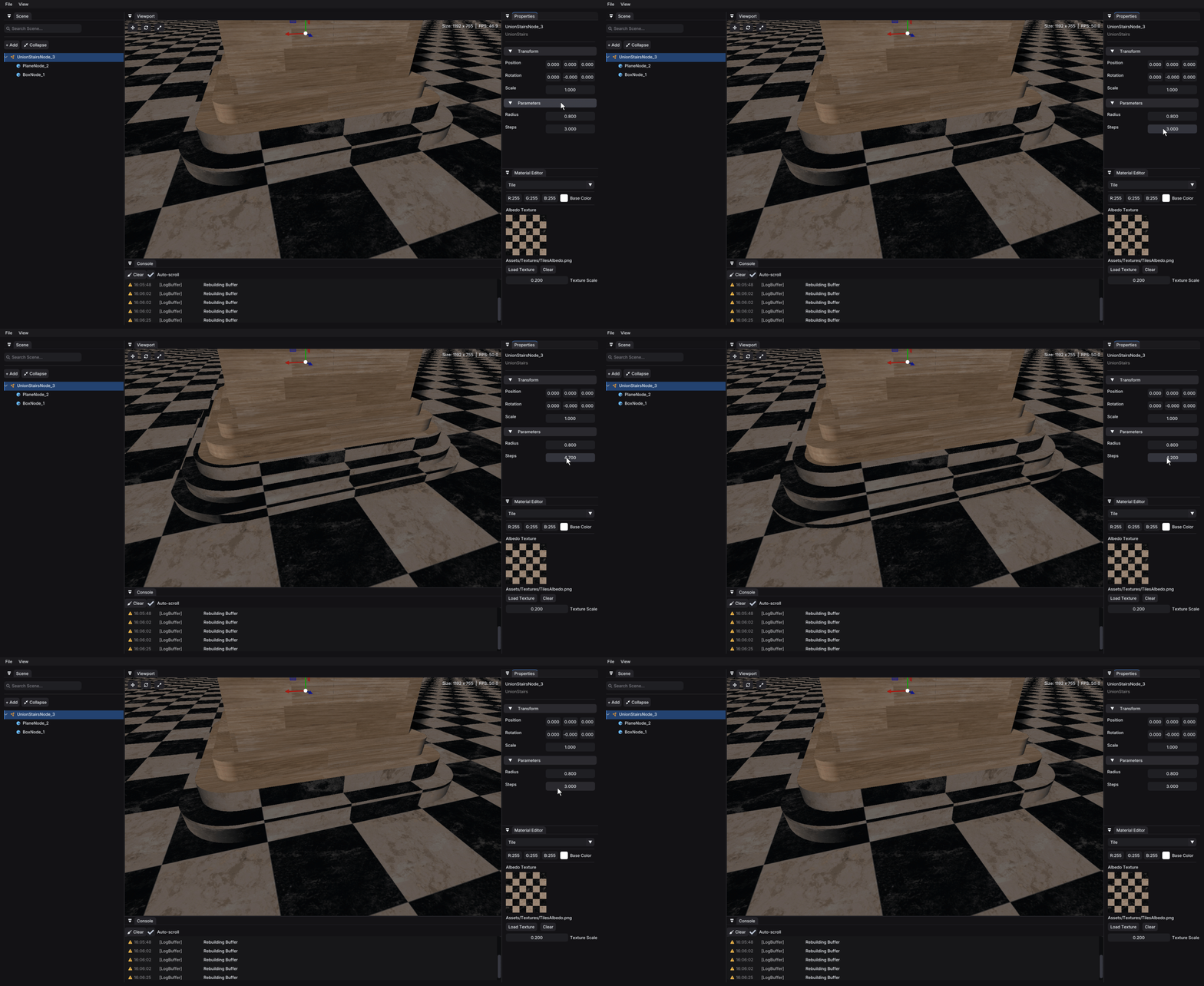
Procedural modelling
Operators such as UnionStairs and Engrave create detail that would be slow to model by hand. Here, changing the number of steps on a UnionStairs node reshapes the join between two shapes straight away.
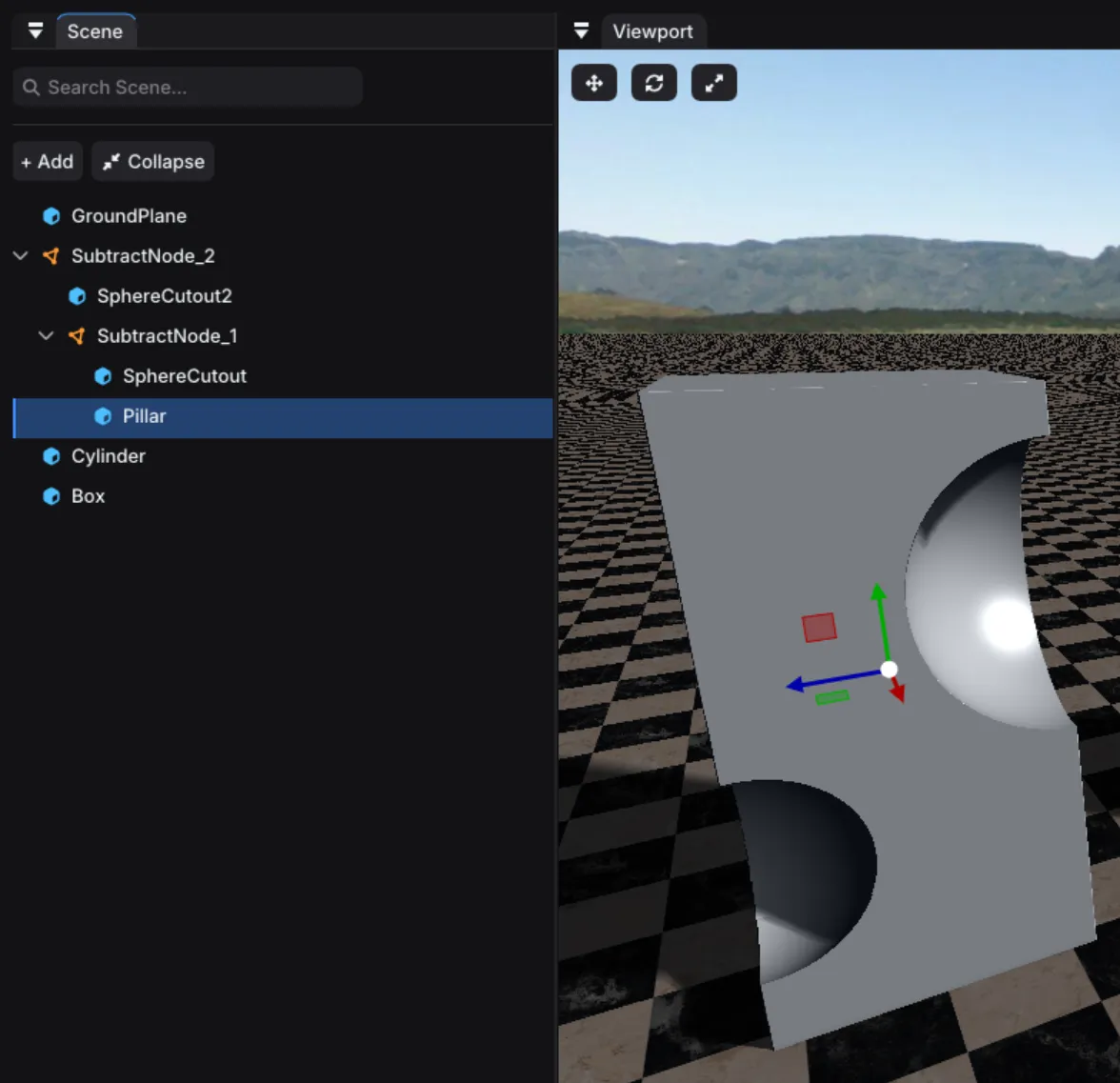
Scene hierarchy
The scene panel shows the node tree. Drag a node onto another to re-parent it, and right-click to rename or delete.
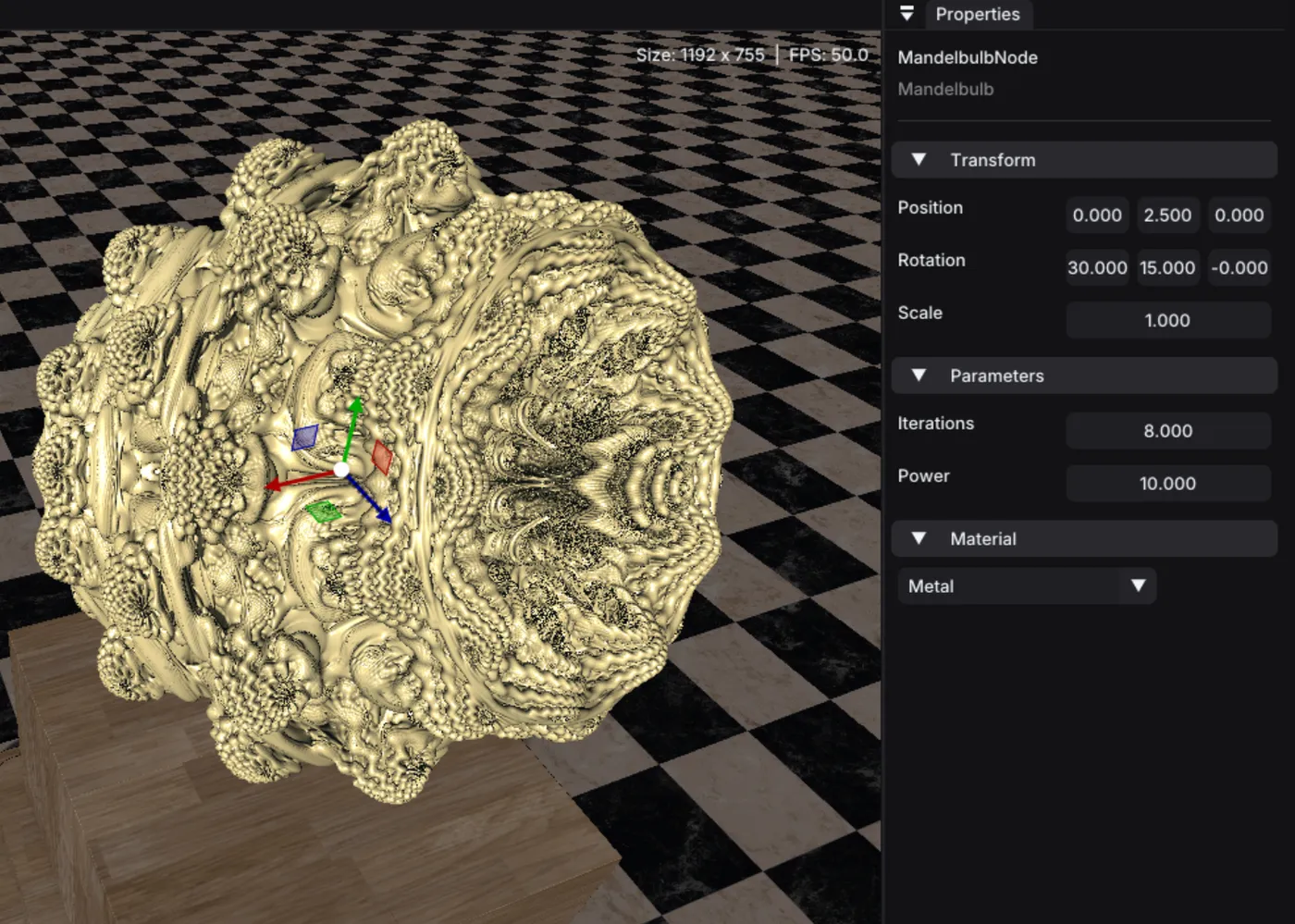
Properties and materials
Each node has a local transform, plus parameters generated from its type in the registry. Materials are created in the material panel, with a colour, an optional texture and a texture scale, and can be applied to any shape.
Looking back
Reflecting on the project, there are things that would have been better to do. Some examples are:
- Recompiling every frame: The tree is compiled and uploaded every frame, even when nothing has changed. This can get expensive with larger scenes that take longer to compile and could be solved using something like a dirty flag approach.
- Every node is evaluated: Each ray step evaluates the entire tree, so the more nodes you have the more costly the raymarching is. Every type already defines a bounds function but this never got used so implementing that could help or putting the scene into a coarse grid.
- Lights: There is only 1 fixed light in the scene that you cannot move.